TutorialUse Unity Catalog
Working with Python functions
Register a typed Python function in Unity Catalog, inspect what the catalog stores, run it through the catalog, and remove it.
In this tutorial you turn an ordinary Python function into a catalog object. You register it under a three-part name, see what Unity Catalog stores about it, call it by that name, and remove it again. Once a function is in the catalog, applications and AI agents with access can find and call it by name, without copying your code.
Start the environment
Download the docs' environment and start Unity Catalog 0.7.0. Already running it? Skip this.
curl -fsSL https://docs.unitycatalog.io/env/unitycatalog.tar.gz | tar -xz
cd uc-docs-env/unitycatalog && docker compose up -d --wait
export UNITY_CATALOG_URL=http://localhost:8080/api/2.1/unity-catalog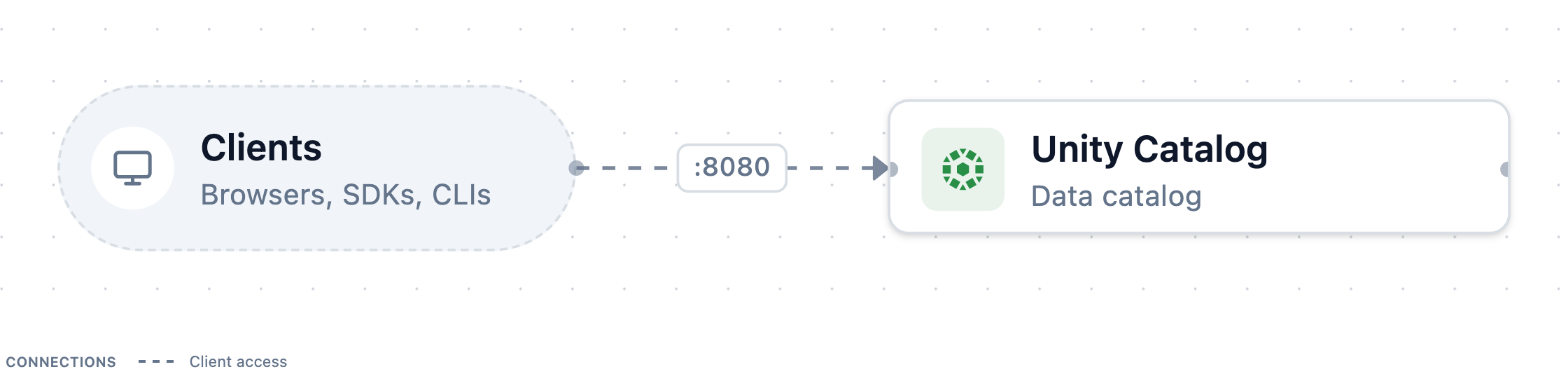
Stop it later with
docker compose downfromuc-docs-env/unitycatalog.Open a Python session
Create an empty folder and, in it, open a Python session with
unitycatalog-ai, the client library for catalog functions:mkdir first-function && cd first-function uv run --with unitycatalog-ai==0.4.0 python -m asyncioEnter each of the following snippets in it, in order.
Connect to the server
first_function.pyFull scriptfrom unitycatalog.ai.core.client import ( UnitycatalogClient, UnitycatalogFunctionClient, ) from unitycatalog.client import ApiClient, CatalogsApi, Configuration config = Configuration(host="http://localhost:8080/api/2.1/unity-catalog") api = ApiClient(config) client = UnitycatalogFunctionClient(api_client=api)Create a schema for functions
Functions live in a schema like tables do. Create a catalog and a schema for them:
first_function.pyFull scriptuc = UnitycatalogClient(api_client=api) await uc.create_catalog_async( name="tools", comment="Functions for apps and agents" ) await uc.create_schema_async(name="pricing", catalog_name="tools")Write the function
Save the function you are going to register as
pricing.py, in the folder where the session runs:pricing.pydef order_total(quantity: int, unit_price: float, discount_pct: float = 0.0) -> float: """ Calculate the total price of an order line after a percentage discount. Args: quantity: Number of units ordered. unit_price: Price of one unit. discount_pct: Discount in percent, from 0 to 100. Returns: The discounted total, rounded to two decimals. """ return round(quantity * unit_price * (1 - discount_pct / 100), 2)Then import it into the session:
first_function.pyFull scriptfrom pricing import order_totalThe client reads the function's source code to register it, so define functions in a module like this one rather than typing them into the session.
Register the function
Hand the imported function to the client:
first_function.pyFull scriptinfo = await client.create_python_function_async( func=order_total, catalog="tools", schema="pricing", ) print(info.full_name) # tools.pricing.order_totalThe client reads the signature and docstring, then stores everything as
tools.pricing.order_total. Before it creates the function, it checks whether the name is taken. The log lineFailed to retrieve function tools.pricing.order_total ... (404)that appears is that check, and you can ignore it.See what the catalog stored
Fetch the function back from the catalog:
first_function.pyFull scriptfn = await client.get_function_async("tools.pricing.order_total") print(fn.comment) for param in fn.input_params.parameters: print(f"{param.name}: {param.type_text} - {param.comment}") print("returns:", fn.full_data_type) print(fn.routine_definition)The output shows the comment, three typed parameters with their descriptions,
returns: DOUBLE, and the function body:return round(quantity * unit_price * (1 - discount_pct / 100), 2)That body is the important part. The catalog stores your code as text, together with the metadata needed to call it. It doesn't run the code.
Run the function by name
Execute the function through the catalog:
first_function.pyFull scriptresult = await client.execute_function_async( "tools.pricing.order_total", parameters={"quantity": 3, "unit_price": 19.99, "discount_pct": 10.0}, ) print(result.value) # 53.97Leave out
discount_pctand its default of0.0applies, because the catalog stored the default too:first_function.pyFull scriptresult = await client.execute_function_async( "tools.pricing.order_total", parameters={"quantity": 3, "unit_price": 19.99}, ) print(result.value) # 59.97The first call returns
53.97, and the second59.97.Pass the right types
The client checks every argument against the stored parameter types before it runs anything.
20is anint, butunit_priceis aDOUBLE:first_function.pyFull scripttry: await client.execute_function_async( "tools.pricing.order_total", parameters={"quantity": 3, "unit_price": 20}, ) except ValueError as exc: print(exc) # ... unit_price should be of type ... DOUBLE ...The call raises
ValueErrorand doesn't run the function. Pass20.0instead.List and clean up
List the functions in the schema, then remove the function and the catalog:
first_function.pyFull scriptfunctions = await client.list_functions_async(catalog="tools", schema="pricing") print([f.full_name for f in functions])first_function.pyFull scriptawait client.delete_function_async("tools.pricing.order_total") await CatalogsApi(api).delete_catalog(name="tools", force=True) await api.close()To register the function again under the same name, pass
replace=Truetocreate_python_function_async; without it, registration fails withFunction tools.pricing.order_total already exists. Leave the session withCtrl+D.
What you did
You registered a Python function under a catalog name. Unity Catalog stored its signature, descriptions, default, and source code, and the client used that record to validate arguments and run the function on your side. Catalog functions work this way in general: the catalog makes them discoverable and governed, and the caller runs them.
Next steps
- Core concepts explains where
functions sit among the other catalog objects, and the
EXECUTEprivilege that controls who can call them.