TutorialUse Unity Catalog
Create and update a catalog-managed Delta table
Give a catalog managed storage, then use Spark to create a Delta table that Unity Catalog manages, write and change its rows, read an earlier version, and drop it.
In this tutorial you create a Delta table that Unity Catalog manages: the catalog picks where its files live and approves every change to it. You write it with plain Spark SQL, change some rows, look back at an earlier version, and finally drop it. Along the way you see what makes a managed table different from a folder of Delta files.
Allow about fifteen minutes.
Start the environment
Download the docs' environment and start Unity Catalog 0.7.0. Already running it? Skip this.
curl -fsSL https://docs.unitycatalog.io/env/unitycatalog.tar.gz | tar -xz
cd uc-docs-env/unitycatalog && docker compose up -d --wait
export UNITY_CATALOG_URL=http://localhost:8080/api/2.1/unity-catalog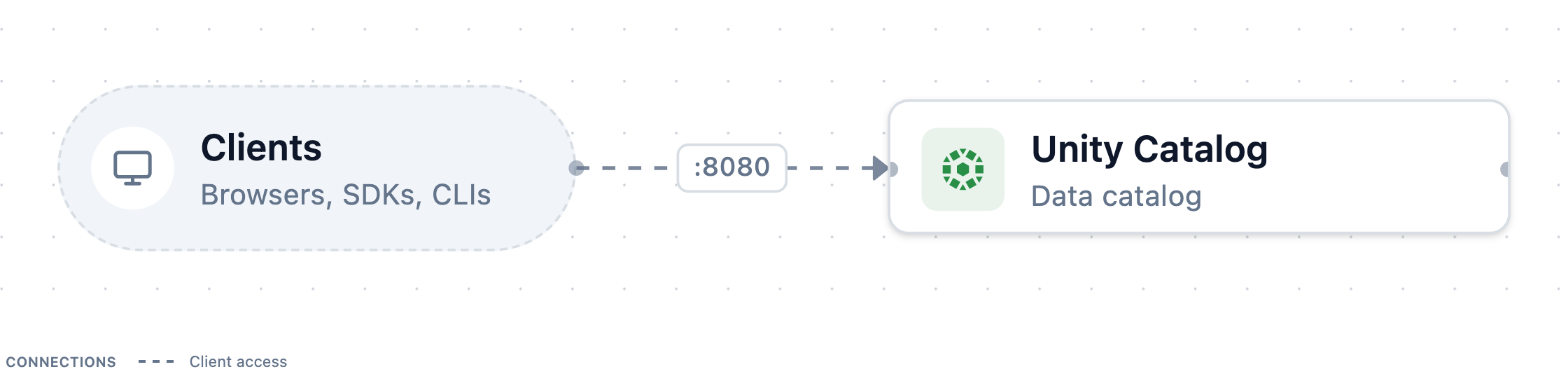
Stop it later with
docker compose downfromuc-docs-env/unitycatalog.Open a Python session
Spark on your machine writes the table's files under the server's shared folder,
UC_DOCS_ROOT. The server needs to see them too, because it deletes them when you drop the table.Open a Python session with PySpark and the Unity Catalog client, from a terminal where
UC_DOCS_ROOTis set the same way as for the server:uv run --with pyspark==4.1.0 --with unitycatalog-client==0.7.0 pythonEnter each of the following snippets in it, in order, starting with the imports:
managed_table.pyFull scriptimport asyncio import os from pyspark.sql import SparkSession from unitycatalog.client import ApiClient, CatalogsApi, Configuration, CreateCatalogGive a catalog managed storage
A managed table needs somewhere to live. Create a catalog with a storage root, the location under which Unity Catalog places the files of every managed table and volume in the catalog:
managed_table.pyFull scriptDOCS_ROOT = os.environ.get("UC_DOCS_ROOT", "/tmp/uc-docs") async def create_catalog() -> None: config = Configuration(host="http://localhost:8080/api/2.1/unity-catalog") async with ApiClient(config) as api: catalog = await CatalogsApi(api).create_catalog( CreateCatalog(name="retail", storage_root=f"file://{DOCS_ROOT}/managed") ) print(catalog.storage_location) asyncio.run(create_catalog())The output is the catalog's own folder under that root, ending in
__unitystorage/catalogs/<catalog-id>. Unity Catalog chooses these paths. You never pick one for a managed table.Connect Spark
Start a Spark session that knows the
retailcatalog:managed_table.pyFull scriptspark = ( SparkSession.builder.appName("managed-orders") .config( "spark.jars.packages", "io.unitycatalog:unitycatalog-spark_4.1_2.13:0.7.0," "io.delta:delta-spark_4.1_2.13:4.3.1", ) .config("spark.sql.extensions", "io.delta.sql.DeltaSparkSessionExtension") .config( "spark.sql.catalog.spark_catalog", "org.apache.spark.sql.delta.catalog.DeltaCatalog", ) .config("spark.sql.catalog.retail", "io.unitycatalog.spark.UCSingleCatalog") .config("spark.sql.catalog.retail.uri", "http://localhost:8080") .config("spark.sql.catalog.retail.auth.type", "static") .config("spark.sql.catalog.retail.auth.token", "not-used") .config("spark.sql.defaultCatalog", "retail") .getOrCreate() )The first run takes a minute while Spark downloads the jars. Configure Spark to use Unity Catalog explains each setting.
Create the table
Create a schema and a table in it. Leaving out a
LOCATIONis what makes the table managed:managed_table.pyFull scriptspark.sql("CREATE SCHEMA sales") spark.sql(""" CREATE TABLE sales.orders ( order_id BIGINT, customer STRING, amount DECIMAL(10, 2) ) USING DELTA """)Behind this statement, Spark asks the server to reserve a table, receives a location and a short-lived credential to write there, writes the first Delta log entry, and asks the server to make the table official.
Write some rows
Insert three orders and read them back:
managed_table.pyFull scriptspark.sql(""" INSERT INTO sales.orders VALUES (1, 'ada', 9.50), (2, 'grace', 20.00), (3, 'linus', 3.25) """) spark.table("sales.orders").orderBy("order_id").show()+--------+--------+------+ |order_id|customer|amount| +--------+--------+------+ | 1| ada| 9.50| | 2| grace| 20.00| | 3| linus| 3.25| +--------+--------+------+See where the table lives
Ask Delta for the table's location and for the property that marks it as catalog-managed:
managed_table.pyFull scriptdetail = spark.sql("DESCRIBE DETAIL sales.orders").first() print(detail.location) print( spark.sql( "SHOW TBLPROPERTIES sales.orders ('delta.feature.catalogManaged')" ).first() )file:/tmp/uc-docs/managed/__unitystorage/catalogs/<catalog-id>/tables/<table-id> Row(key='delta.feature.catalogManaged', value='supported')You didn't set
delta.feature.catalogManagedyourself. The connector adds it when it creates a managed table. It tells every Delta client that the catalog, not the files, has the final say on the table's latest version.Change rows
Update one order and delete another, then list the table's history:
managed_table.pyFull scriptspark.sql("UPDATE sales.orders SET amount = 25.00 WHERE order_id = 2") spark.sql("DELETE FROM sales.orders WHERE customer = 'linus'") spark.sql("DESCRIBE HISTORY sales.orders").select("version", "operation").show()+-------+------------+ |version| operation| +-------+------------+ | 3| DELETE| | 2| UPDATE| | 1| WRITE| | 0|CREATE TABLE| +-------+------------+Each statement became one new version. For each one, Spark wrote the change to storage and then asked the server to accept it as the next version. If two writers race for the same version, the server accepts exactly one of them.
Read an earlier version
Delta keeps old versions, so you can still count the orders as they were before the update and the delete:
managed_table.pyFull scriptspark.sql("SELECT count(*) AS orders FROM sales.orders VERSION AS OF 1").show()+------+ |orders| +------+ | 3| +------+Clean up
Drop the table and the schema, and stop Spark. Then leave the session with
Ctrl+D:managed_table.pyFull scriptspark.sql("DROP TABLE sales.orders") spark.sql("DROP SCHEMA sales") spark.stop()To run the tutorial again, delete the
retailcatalog first:uc catalog delete --name retail --force true, with theucshortcut from Create your first catalog.
What you did
You created a table without choosing where it lives, changed it three times, and read it as it was two versions ago, all with ordinary Spark SQL. Unity Catalog chose the location, handed Spark credentials for it, and approved each new version. Any other engine that speaks the same protocol sees exactly those versions. To try that, read the table from DuckDB.
Next steps
- Read and write Unity Catalog tables from DuckDB reads and appends to a managed table from a second engine.
- External tables and catalog-managed Delta tables explains the protocol behind each step.
- Manage catalogs and schemas covers storage roots for schemas as well as catalogs.