TutorialUse Unity Catalog
Use the Python client
Use the official Python SDK to write, read, and organize data.
In this tutorial you build the same small catalog as in
Create your first catalog, this time from
Python with unitycatalog-client,
the official SDK for the Unity Catalog REST API. You
connect, create a catalog, a schema, and a table, see how the client reports
an object that doesn't exist, and clean up. Applications, notebooks, and
scripts use the same calls to manage catalog objects.
Start the environment
Download the docs' environment and start Unity Catalog 0.7.0. Already running it? Skip this.
curl -fsSL https://docs.unitycatalog.io/env/unitycatalog.tar.gz | tar -xz
cd uc-docs-env/unitycatalog && docker compose up -d --wait
export UNITY_CATALOG_URL=http://localhost:8080/api/2.1/unity-catalog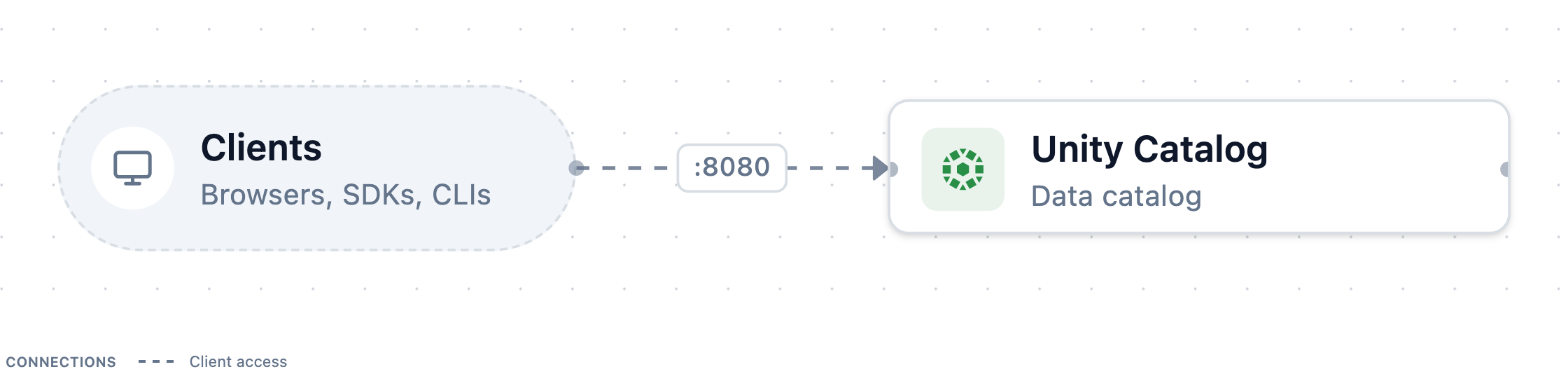
Stop it later with
docker compose downfromuc-docs-env/unitycatalog.Open a Python session
Open a Python session with the client installed:
uv run --with unitycatalog-client==0.7.0 python -m asyncioEnter each of the following snippets in it, in order.
Connect to the server
Point a
Configurationat the server and open anApiClient. Each resource type has its own API class built on that client:catalog_flow.pyFull scriptfrom unitycatalog.client import ( ApiClient, CatalogsApi, Configuration, SchemasApi, TablesApi, ) config = Configuration(host="http://localhost:8080/api/2.1/unity-catalog") api = ApiClient(config) catalogs = CatalogsApi(api) schemas = SchemasApi(api) tables = TablesApi(api)The host includes the API prefix,
/api/2.1/unity-catalog. Authorization is off on the local server, so the client needs no token.Create a catalog
Every create call takes one request object:
catalog_flow.pyFull scriptfrom unitycatalog.client import CreateCatalog catalog = await catalogs.create_catalog( CreateCatalog(name="quickstart", comment="Created from Python") ) print(catalog.name, catalog.id)The server returns the new catalog, including the
idit generated.List catalogs
A list call returns a response object. Its
catalogsfield holds the items:catalog_flow.pyFull scriptlisted = await catalogs.list_catalogs() print([c.name for c in listed.catalogs])quickstartis listed next to the sample catalogunity.Create a schema
A schema lives inside one catalog:
catalog_flow.pyFull scriptfrom unitycatalog.client import CreateSchema schema = await schemas.create_schema( CreateSchema(name="sales", catalog_name="quickstart") ) print(schema.full_name) # quickstart.salesCreate a table
Register an external Delta table with one column in the new schema:
catalog_flow.pyFull scriptfrom unitycatalog.client import CreateTable from unitycatalog.client.models import ( ColumnInfo, ColumnTypeName, DataSourceFormat, TableType, ) table = await tables.create_table( CreateTable( name="orders", catalog_name="quickstart", schema_name="sales", table_type=TableType.EXTERNAL, data_source_format=DataSourceFormat.DELTA, storage_location="file:///tmp/uc-docs/quickstart/orders", columns=[ ColumnInfo( name="order_id", type_name=ColumnTypeName.LONG, type_text="bigint", type_json='{"name":"order_id","type":"long","nullable":false,"metadata":{}}', position=0, nullable=False, ) ], ) ) print(table.catalog_name, table.schema_name, table.name, table.table_type)Each column carries its type three ways: a
type_nameenum, a SQLtype_text, andtype_json, the column in Delta schema form. Registering a table stores only metadata, so the location doesn't need to exist yet. Register an existing external table shows how to read these values from a real Delta table.Handle a missing object
Asking for an object that doesn't exist raises a typed exception that carries the HTTP status:
catalog_flow.pyFull scriptfrom unitycatalog.client.exceptions import NotFoundException try: await tables.get_table(full_name="quickstart.sales.returns") except NotFoundException as exc: print("not found:", exc.status) # not found: 404Other error responses raise sibling exceptions such as
BadRequestExceptionandUnauthorizedException, all subclasses ofApiException.Clean up
Delete from the inside out, the table before its schema and the schema before its catalog:
catalog_flow.pyFull scriptawait tables.delete_table(full_name="quickstart.sales.orders") await schemas.delete_schema(full_name="quickstart.sales") await catalogs.delete_catalog(name="quickstart") await api.close()The server refuses to delete a catalog or schema that still holds objects, unless you pass
force=True. Leave the session withCtrl+D.
What you did
You managed catalog objects from Python with the same requests the uc CLI
sends. Every client, from this SDK to Spark, talks to the same REST API and
sees the same names.
Next steps
- Manage catalogs and schemas covers updating, renaming, and deleting them from Python or the CLI.
- Create and update a catalog-managed Delta table writes real data into a table that Unity Catalog manages.